Term Grade (object)
Table of Contents
Overview
Term Grades live under a Course Connection record, and act as a parent collection for each assessment a student has taken as part of the course, according to the configured grade criteria set either at the Course, Course Offering or Session level.
Term Grades and their child Grade records are created automatically when grades are entered in the Grading Wizard.
Depending on what you have chosen as the “Grading Frequency” at the Course level, there may be one or many Term Grades for each Course Connection.
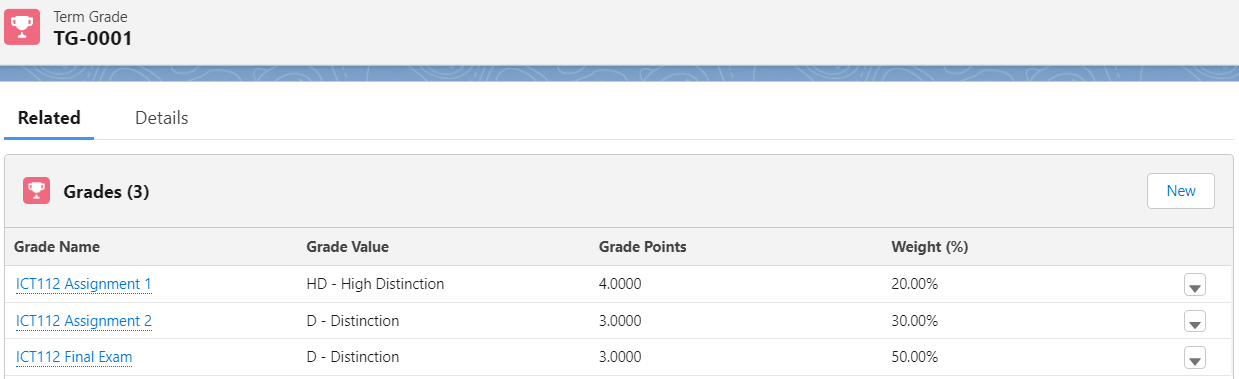
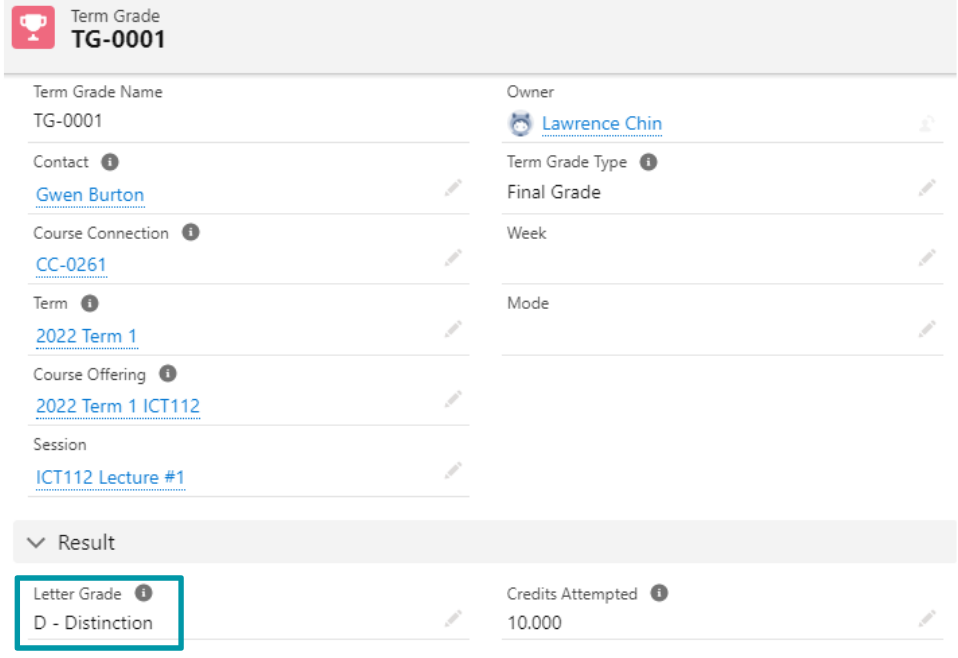
By default, RIO does not provide automatic rollup from Grade to Term Grade and Course Connection.
This is because each institution usually has differing requirements which makes a “one size fits all” approach unviable.
When designing your own roll-up, consider making use of the “Weighted Points” field on Grade to populate the fields in the Result section on Term Grade. Then, use the Term Grade record(s) to determine the “Grade” or “Grade Value” fields on the parent Course Connection so the grades can be released and considered by the RIO completion engine.
Alternatively, talk to your RIO partner to arrange a custom-built managed solution.
Important fields
| Field name | Description |
| Course Connection | Lookup to the related Course Connection. The Contact and Course Offering on this Term Grade must match the Contact and Course Offering on the Course Connection. |
| Term | Lookup to the related Term record |
| Term Grade Type |
The type of grading period that this grade is for. The default picklist options are:
|
| Mode |
Overrides the Grading Period lock status for a student, in case just this particular student needs their grades adjusted. The options are “Locked” or “Unlocked”. Note: The ‘Keep Term Grade Fields Unlocked’ checkbox on the Session Grading (Aura) component overrides this field and will keep the grades editable even if it set to “Locked”. |
| Result | The overall result of the student's performance for this Course |
| Session | Lookup to the related Session |
| Credits Attempted | The number of credits attempted this Term |
| Credits Earned | The number of credits the student earned this Term |
| Letter Grade | If your school uses letter grades, enter the letter grade the student earned, e.g. A, B, C… |
| Numerical Grade | If your school uses numeric grades, enter the numeric grade the student earned |
| Percent Grade | If your school grades on a percentage basis, enter the percent grade the student earned |
| Status |
A picklist field for users (i.e. faculty) to define whether the Term Grades that they have input are:
These values are selectable by the faculty when using the grading wizard.
Note:
|
| Submitted By | Automatically populated with the running user when the “Status” is set to “Submitted” |
| Submitted Date | Automatically populated with today's date when the “Status” is set to “Submitted” |