Grade (object)
Table of Contents
Overview
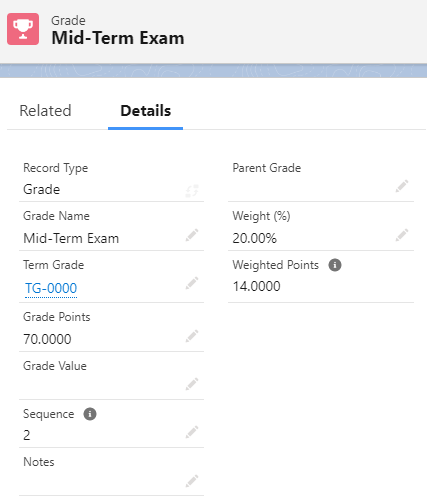
The Grade object is a record of a student's individual grade for a particular assessment.
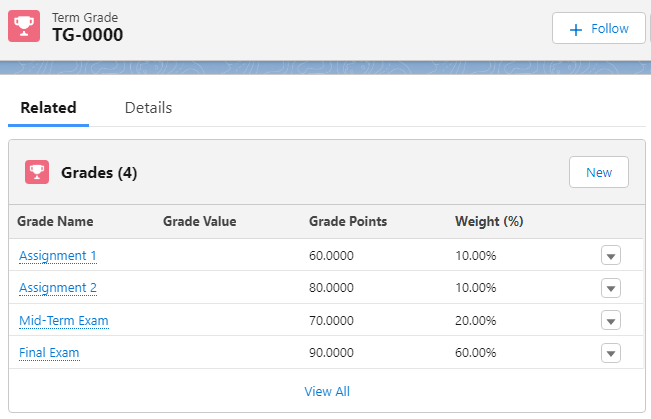
All the Grades that a student has achieved during their course enrollment (i.e. essays, mid-term, finals) will be grouped in a Term Grade record under their Course Connection, according to the Grade Criteria that have been configured.
The Grade and Term Grade structure is automatically created and populated when the faculty enters the students' grades via the grading wizard.
Caution on Imported/Migrated Data
If you import or have previously migrated data in from a legacy or external system, i.e. your grades are synced over from a separate LMS, or you have uploaded historical data into RIO, you should be aware that if one of your users opens up a RIO grading component (admin or faculty), then Grade and Term Grade records may be deleted if corresponding Grade Criteria records can not be found. In these cases, please ensure the Grade Criteria are brought across also.
Important Fields
| Field name | Description |
| Record Type |
Can be either Grade or Sub Grade, depending on whether this record is the parent or child Grade. For example, if a Grade record is created under another Grade, it will be a Sub Grade. |
| Grade Name | Name of the record |
| Parent Grade | The parent that this Grade record belongs and contributes to, if a Sub Grade |
| Term Grade | The Term Grade that this record belongs to / is grouped under |
| Grade Value | The Grade assigned, i.e. High Distinction, Credit. This is defined in the Grade Settings. |
| Grade Points | The Grade Points, i.e. 3, 4, 5. This is defined in the Grade Settings |
| Weight (%) | The weight for the Grade Points achieved |
| Weighted Points | The Grade Points after being weighted (automatically calculated) |
| Sequence | The sequence or order this assignment or exam was taken by the student |
| Notes | Text field for additional notes provided by faculty |